Fig. 1
PC Grate v.2.0 Series for DOS is the first commercially available software for relief spectral grating efficiency calculation by rigorous methods on PCs. It has GUI and works with only 640 KB of RAM.

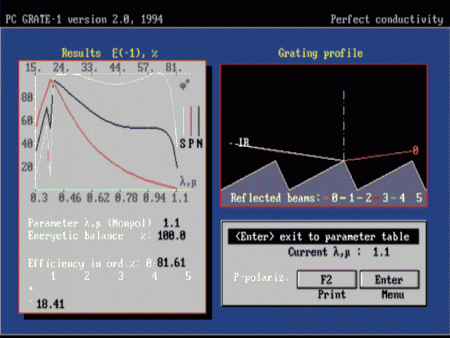
PC Grate v.2.0 Series for DOS is the first commercially available software for relief spectral grating efficiency calculation by rigorous methods on PCs. It has GUI and works with only 640 KB of RAM.
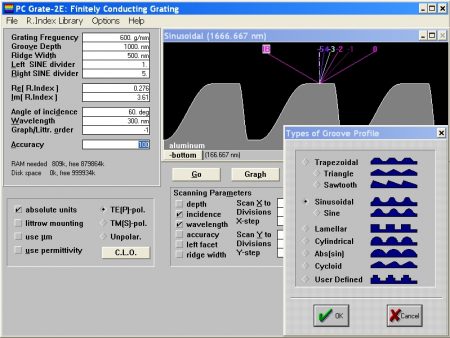
PC Grate v.3.0 Series for Windows® 16-bit is the first both free and widely used commercial software for grating efficiency calculation. It solves a broad spectrum of grating efficiency problems.
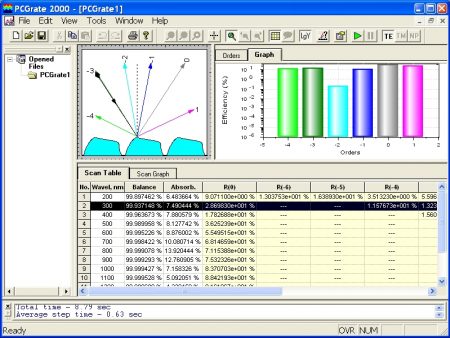
PCGrate 2000 v.5.05 Series for Windows® based on the modified integral method is the first fully 32-bit software with the excellen GUI and various options for real grating modeling.
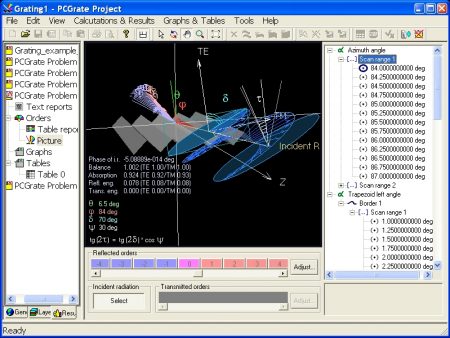
PCGrate-S(X) v.6.6 Series for latest 32-bit Windows® includes the modern GUI, 3-D & 2-D Open GL plots, paralleling, and command line capability with XML-format input/output files.
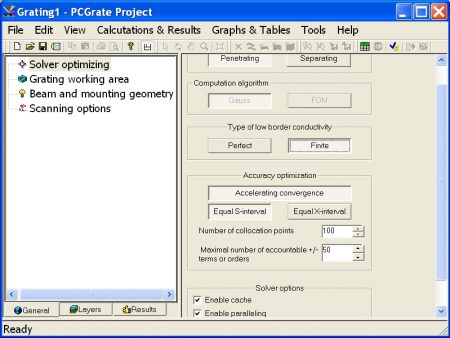
Parameters in this item optimize the type of solvers, computation algorithms, boundary conditions, accuracy, and solver options for new PCGrate-S(X) v.6.6 Series for latest 32&64-bit Windows®.
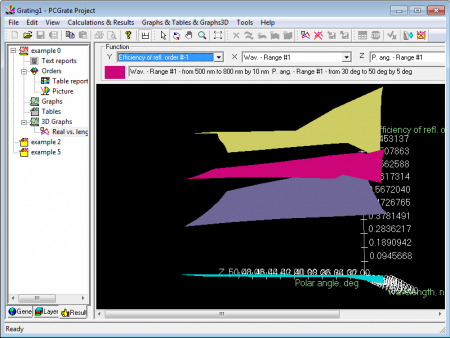
This item enables you to represent task’s results in 3D graphic form
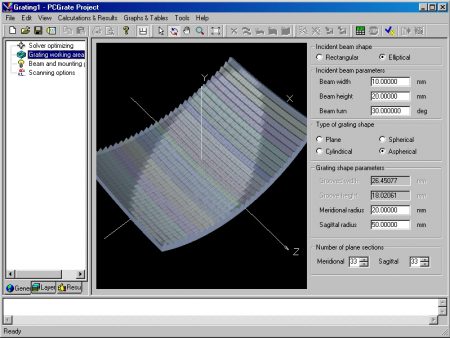
This item enables you to customize all geometry parameters of the beam and grating shapes (v. 6.6).
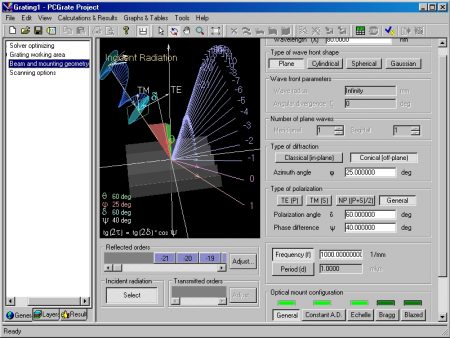
This item enables you to customize parameters of the optical mounting (v. 6.6).
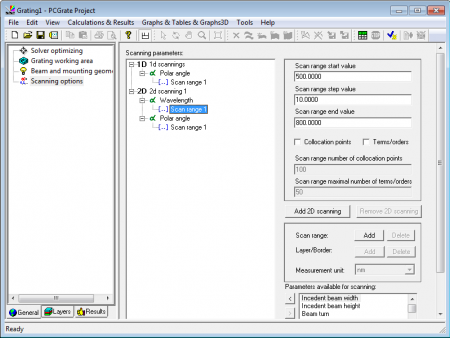
Using this item, you can set scanning parameters (v. 6.7).
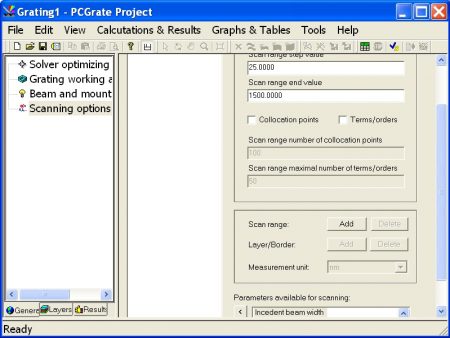
Using this item, you can set scanning and accuracy parameters (v. 6.6).
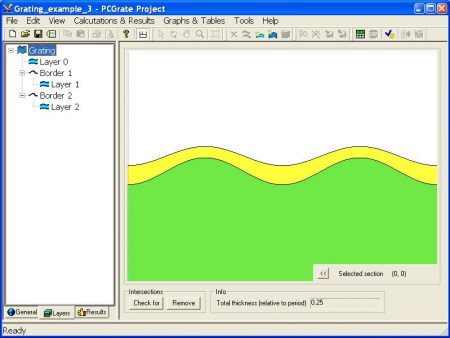
When you select a grating item, you will see an image of a whole grating.
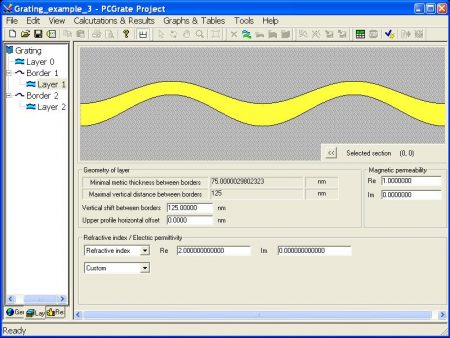
When you select the ‘Layer #’ item in the tree, you will see its parameters and its image on the right.
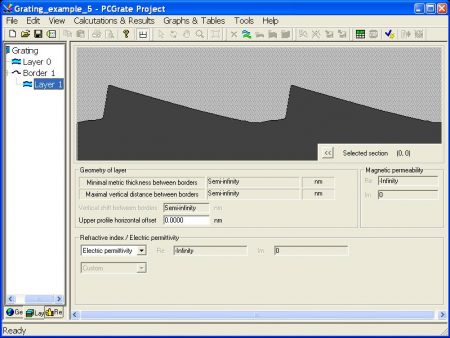
The grating model has the infinite conductive bottom layer (substrate).
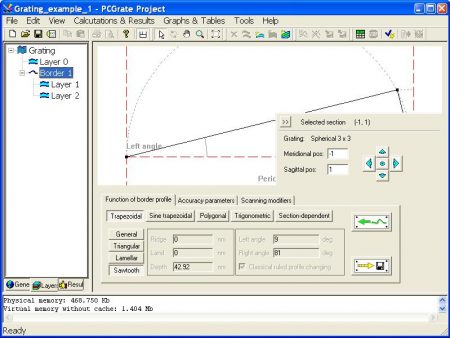
Geometric parameters of border functions can be found on the first tab named ‘Function of border profile’.
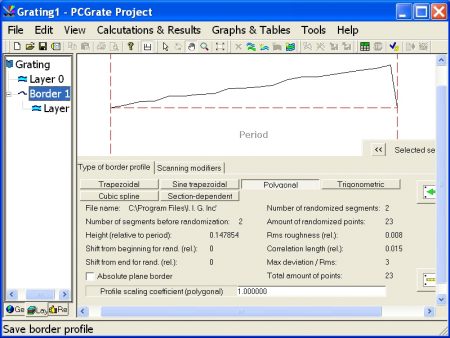
The Polygonal Border Profile type that was randomized in the v. 6.6.
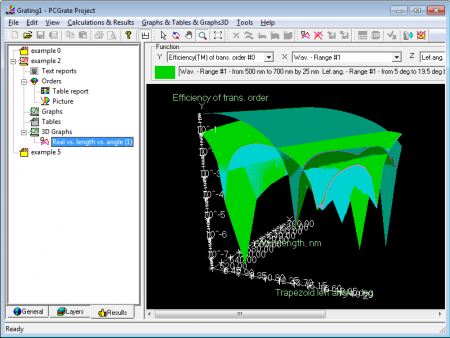
A sample 3D graph for Grating Example 2 (v. 6.7).
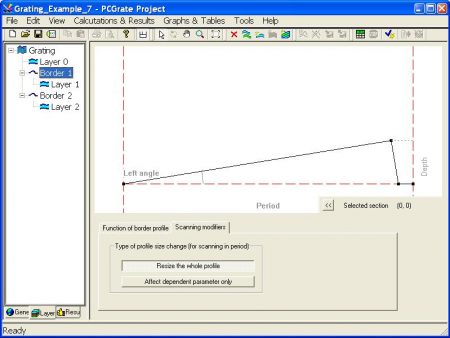
The third tab, ‘Scanning modifiers’, is used for scanning of ‘Trapezoidal’ and ‘Sine trapezoidal’ profile types in ‘Period/Frequency’.
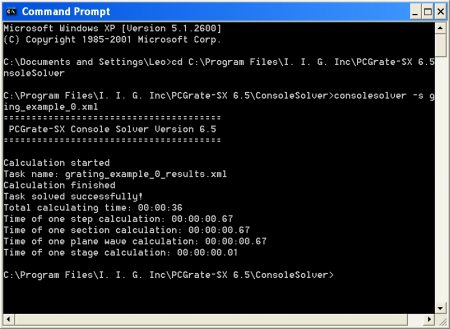
The status information about solving process is displayed in the console while a task is being solved.
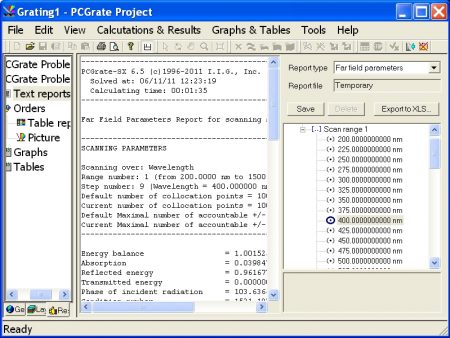
Here you can work with textual representation of the results.
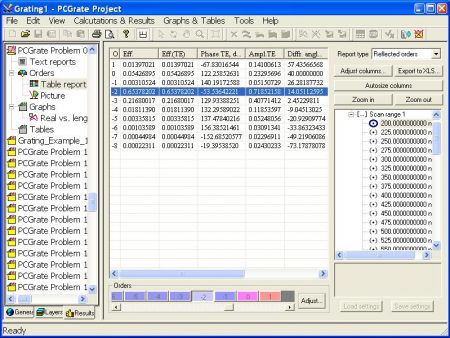
If you select the ‘Table report’ item, you will see a table containing information about orders and some additional controls that are used to customize the table.
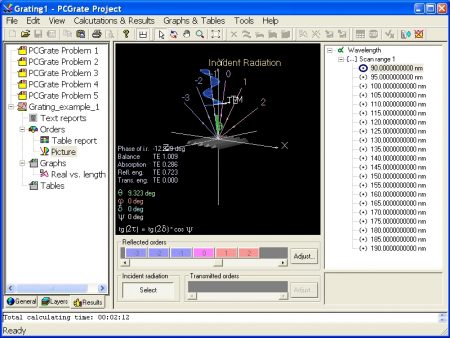
The ‘Picture’ item displays the picture of a grating and the diffraction orders.
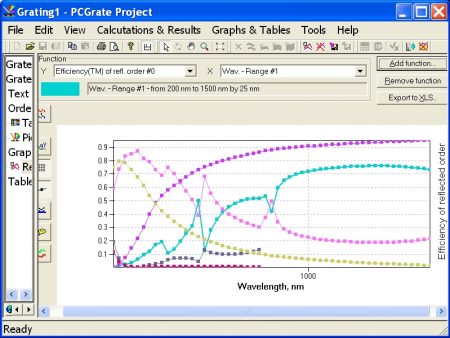
This item enables you to represent task’s results in graphic form.
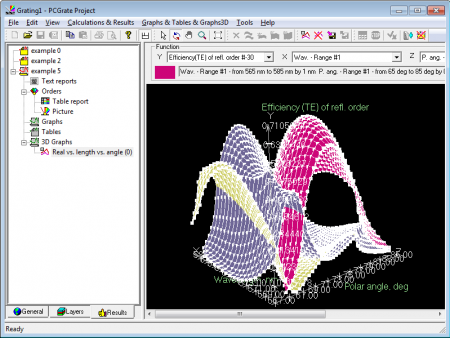
A sample 3D graph for Grating Example 5 (v. 6.7).
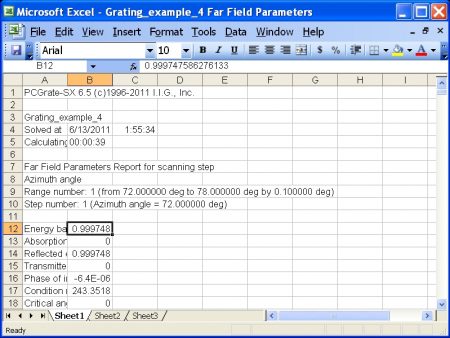
The ‘Export full report to XLS’ item is used to export full text reports to ‘xls’ format files.
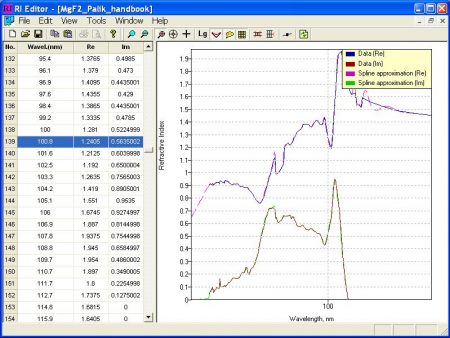
Refractive Index Editor is a separate part of the PCGrtate®-S(X) software and a tool for working with Refractive Indices Libraries (RILs).
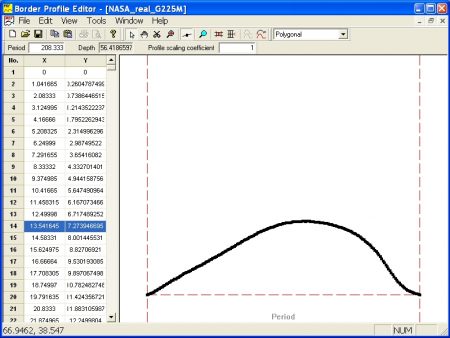
Border Profile Editor is a separate part of PCGrtate®-S(X) software and the tool that enables you to edit the files that contain border profile functions of grooves.
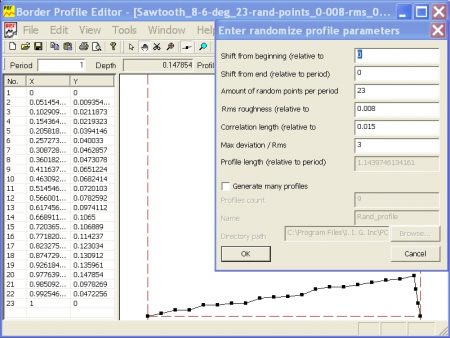
The ‘Randomize profile’ and ‘Randomize profile using correlation length’ tools convert a border profile into that of the randomized Polygonal type.
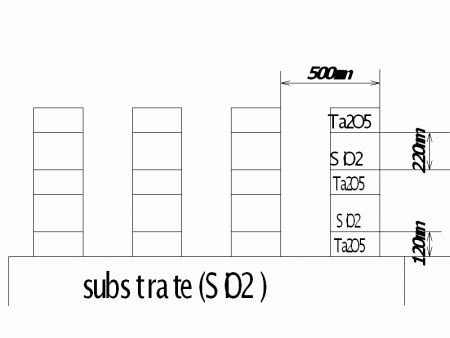
A question how to build a multi-layer lamellar grating model using the ‘Resonance’ mode (v.6.1) or the ‘Penetrating’ solver (v.6.6).
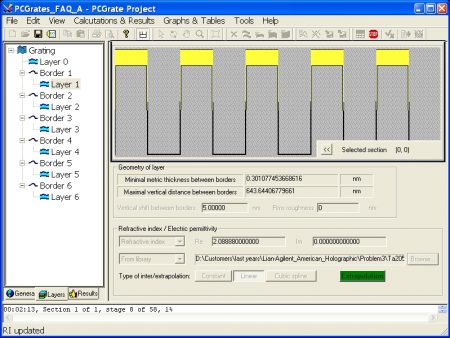
The answer how to build the multi-layer lamellar grating using the ‘Resonance’ mode (v.6.1) or the ‘Penetrating’ solver (v.6.6).
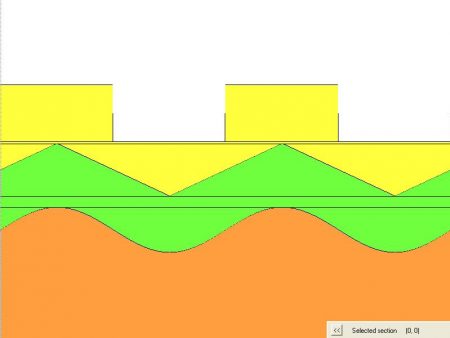
A multi-boundary grating model with plane gaps between two adjacent corrugated regions can be calculated by both the ‘Penetrating’ and ‘Separating’ solvers.
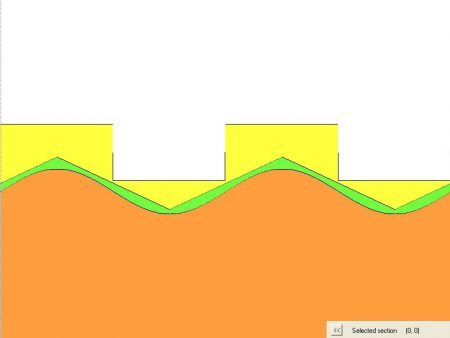
A multi-boundary grating model can be calculated by the Penetrating solver only.
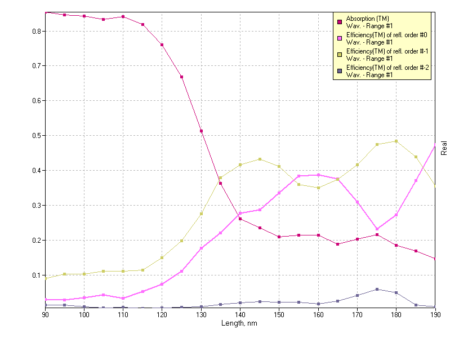
An example of resulting graph is for ‘Ruled Spherical Al/Al2O3 Grating for the TM Polarization in the VUV’ (v.6.6).
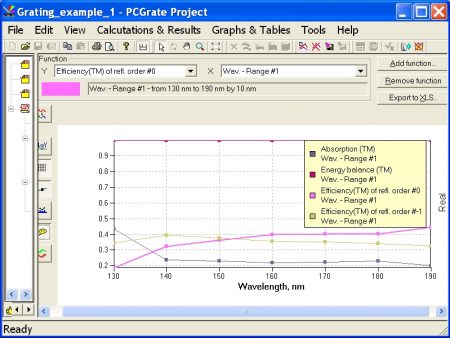
An example of resulting graph is for ‘Ruled Spherical Al/Al2O3 Grating for the TM Polarized Spherical Wave-front Radiation in the VUV'(v.6.6).
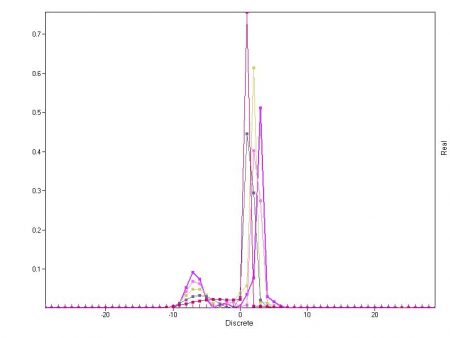
An example of resulting graph is for ‘Blazed Transmission Grating for the NP Polarization in the Visible’ (v.6.6).
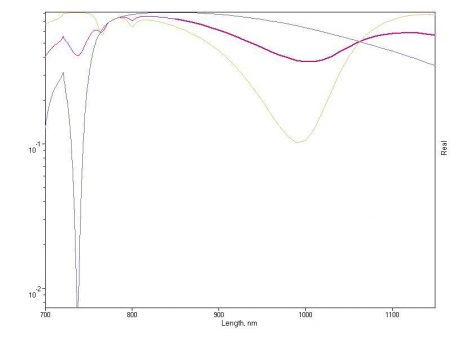
An example of resulting graph is for ‘Nonconformal Au/Dielectric Grating for the NP Polarization in the Visible–NIR’ (v.6.6).
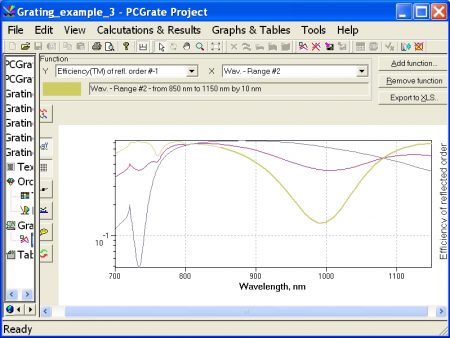
An example of resulting graph is for ‘Nonconformal-coated Au/Dielectric Grating for the NP Polarization in the Visible–NIR’ (v.6.6).
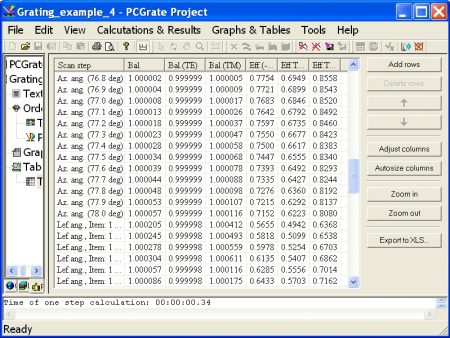
An example of resulting table is for ‘Rough Blaze Mo Grating in Conical Mount for the Elliptically Polarized EUV’ (v.6.6).
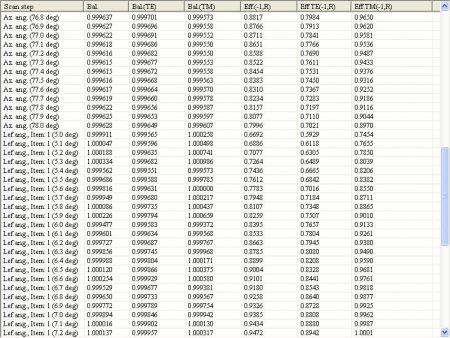
An example of resulting table is for ‘Blaze Grating in Conical Mount for the Elliptically Polarized EUV’ (v.6.6).
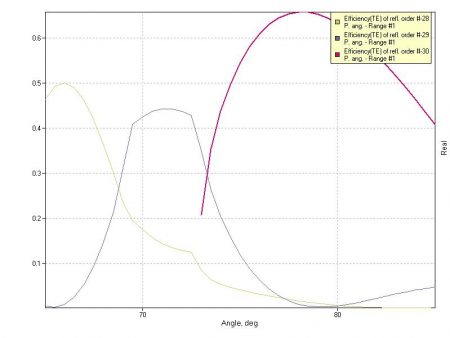
An example of resulting graph is for ‘Real Groove Profile Echelle Grating for the TE Polarization in the Visible’ (v.6.6).
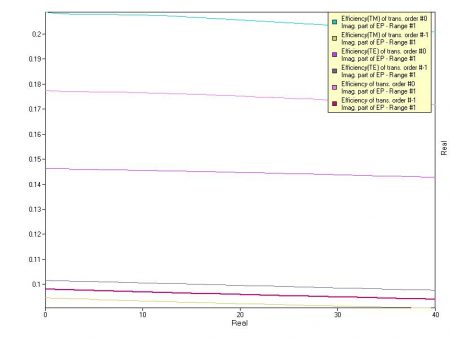
An example of resulting graph for ‘Binary Phase High-Conductive Grating for the NP Polarization in the NIR’ (v.6.6).
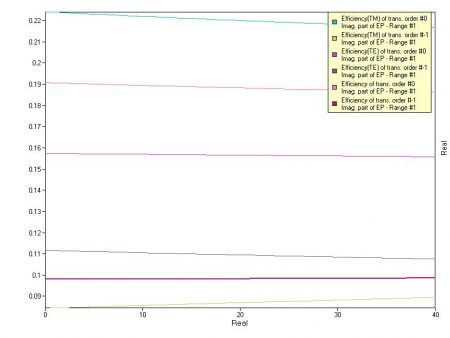
An example of resulting graph for ‘Binary Phase High-Conductive Grating for the NP Polarization in the NIR’ (v.6.6).
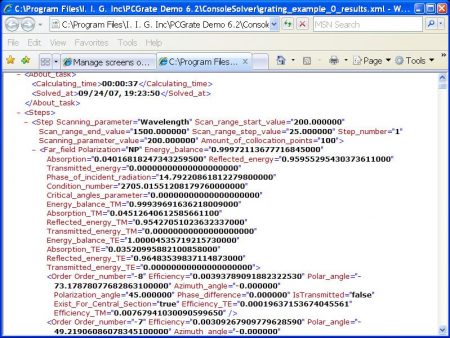
An example of resulting data in XML format for ‘Sawtooth High-Conductive Grating for the NP Polarization in the NUV–NIR’ (v.6.6).
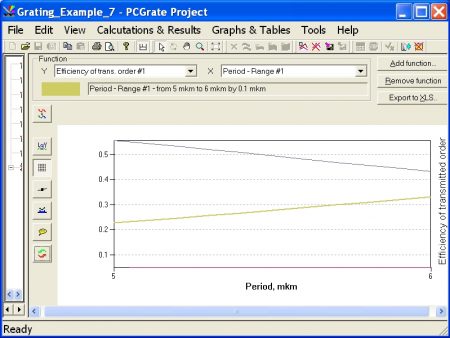
An example of resulting graph for ‘Transmission Grating Prism (GRISM) for the NP Polarization in the NUV’ (v.6.6).
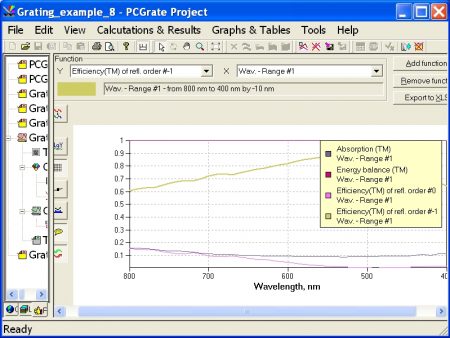
An example of resulting graph for ‘Randomly Rough Ruled VLS Grating for the TM Polarization in the Visible–NIR’ (v.6.6).
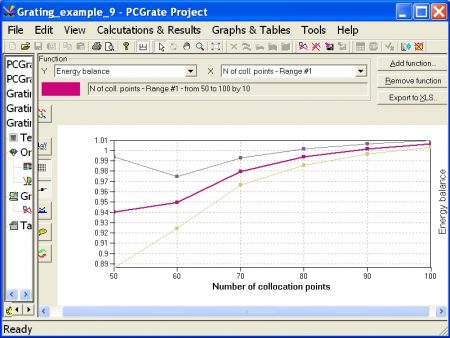
An example of resulting graph A for ‘Circular Rod Transmission Grating for the NP Polarization in the NIR’ (v.6.6).
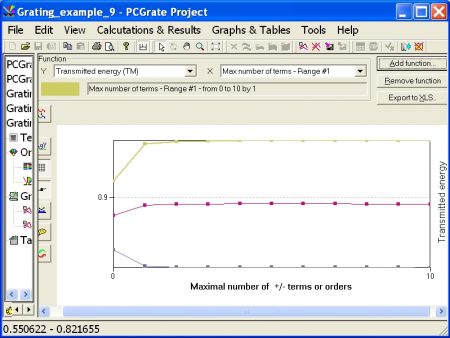
An example of resulting graph B for ‘Circular Rod Transmission Grating for the NP Polarization in the NIR’ (v.6.6).
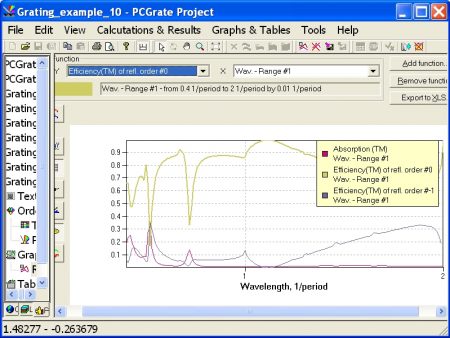
An example of resulting graph for ‘Grazing Incidence Non-Function Groove Profile Grating for the TM Polarization in the Visible–NIR’ (v.6.6).
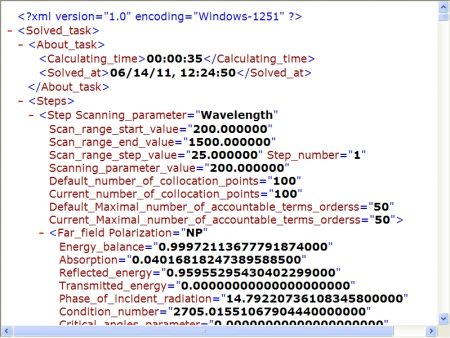
An example of resulting data in XML format for ‘Sawtooth High-Conductive Grating for the NP Polarization in the NUV–NIR’ (v.6.6).
| Cookie | Duration | Description |
|---|---|---|
| cookielawinfo-checkbox-analytics | 11 months | This cookie is set by GDPR Cookie Consent plugin. The cookie is used to store the user consent for the cookies in the category "Analytics". |
| cookielawinfo-checkbox-functional | 11 months | The cookie is set by GDPR cookie consent to record the user consent for the cookies in the category "Functional". |
| cookielawinfo-checkbox-necessary | 11 months | This cookie is set by GDPR Cookie Consent plugin. The cookies is used to store the user consent for the cookies in the category "Necessary". |
| cookielawinfo-checkbox-others | 11 months | This cookie is set by GDPR Cookie Consent plugin. The cookie is used to store the user consent for the cookies in the category "Other. |
| cookielawinfo-checkbox-performance | 11 months | This cookie is set by GDPR Cookie Consent plugin. The cookie is used to store the user consent for the cookies in the category "Performance". |
| viewed_cookie_policy | 11 months | The cookie is set by the GDPR Cookie Consent plugin and is used to store whether or not user has consented to the use of cookies. It does not store any personal data. |